
Ensure a Seamless Client Registration
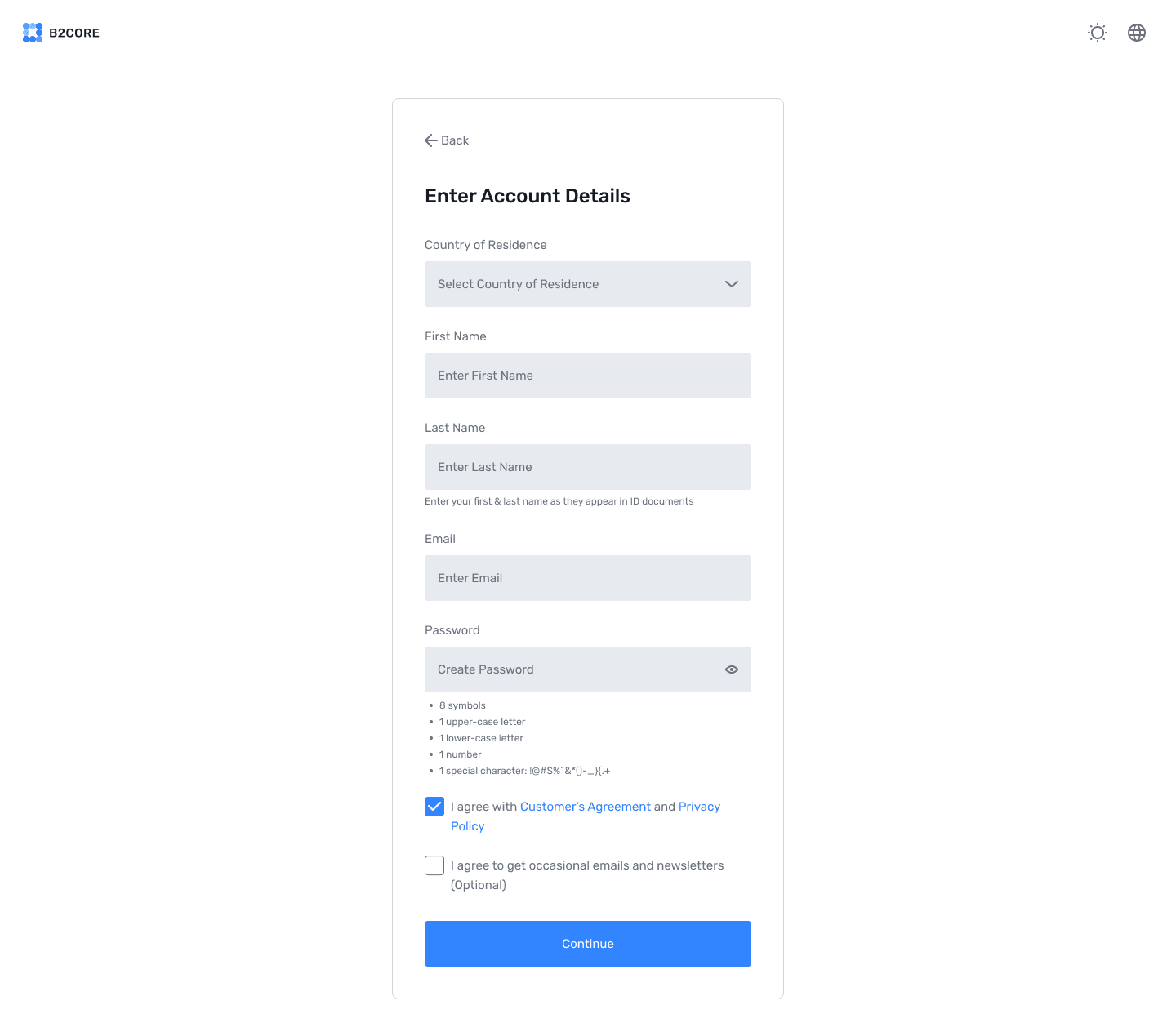
Manage the registration flow for new clients and control the visibility settings. Explore advanced tools that align with business objectives and regulatory requirements.
Key Features

Country Information
Assign unique IDs and official country and capital city names in the system.
Incorporate international standards of alphanumeric codes, such as ISO 3166-2 and ISO 3166-3.

Currency Details
Assign official currency names with standard three-letter currency codes.
Use correct fractional units of the currency (cents and pence).
Region Classification
Use regional codes like UN M49 to identify broader geopolitical areas.
Use subregion codes for simpler classification within the main region.

Visibility Settings
Utilise toggles to determine whether a country appears in registration forms.
Configure visible and hidden countries during signup or account setup.

How It Works
01
Enable or Disable Countries
Control the list of visible countries during the client registration process.
02
Export Country Data
Download the list in CSV or Excel format for offline review or record-keeping.
03
Configure country visibility without worrying about adding or editing data.
Why Use the Country Management Feature?

Compliance
Ensure only approved countries are available for client registration.

Customisation
Tailor the registration process to meet business and operational needs.

Efficiency
Quickly manage visibility settings for a seamless user experience.
Frequently Asked Questions
Find answers to the most common questions about our products and services.